GeForce 416.34 WHQL / Hotfix 416.64
Napsal: pát 12. říj 2018, 18:50
Game Ready Drivers provide the best possible gaming experience for all major new releases, including Virtual Reality games. Prior to a new title launching, our driver team is working up until the last minute to ensure every performance tweak and bug fix is included for the best gameplay on day-1.
Game Ready
Provides the optimal gaming experience for Call of Duty: Black Ops 4, SOULCALIBUR VI, and GRIP
Fixed Issues in this Release
Games launch to a black screen when DSR is enabled. [2411501]
Some games produce red/green/blue shimmering line when played in full-screen mode and with G-SYNC enabled. [2041443]
[Windows Defender Application Guard][vGPU][Surround]: Surround cannot be enabled from the NVIDIA Control Panel when running Edge Browser with Application Guard over vGPU. [200444614]
[PUBG]: Issue with shadows may occur in the game. [2414749]
When HDR is enabled, games show green corruption. [2400448]
Open Issues in Version 416.34 WHQL
[Windows Defender Application Guard][vGPU][Surround]: Edge Browser with Application Guard cannot be opened when Surround is enabled. [200443580]
[GeForce GTX 1060]AV receiver switches to 2-channel stereo mode after 5 seconds of audio idle. [2204857]
[GeForce GTX 1080Ti]: Random DPC watchdog violation error when using multiple GPUs on motherboards with PLX chips. [2079538]
[SLI][HDR][Battlefield 1]: With HDR enabled, the display turns pink after changing the refresh rate from 144 Hz to 120 Hz using in-game settings. [200457196]
[Firefox]: Cursor shows brief corruption when hovering on certain links in Firefox. [2107201]
[Far Cry 5]: Flickering occurs in the game. [2400207]
Release notes: http://us.download.nvidia.com/Windows/4 ... -notes.pdf
Forum: https://forums.geforce.com/default/topi ... 10-11-18-/
Download: https://www.nvidia.com/Download/index.aspx?lang=en-us
Game Ready
Provides the optimal gaming experience for Call of Duty: Black Ops 4, SOULCALIBUR VI, and GRIP
Fixed Issues in this Release
Games launch to a black screen when DSR is enabled. [2411501]
Some games produce red/green/blue shimmering line when played in full-screen mode and with G-SYNC enabled. [2041443]
[Windows Defender Application Guard][vGPU][Surround]: Surround cannot be enabled from the NVIDIA Control Panel when running Edge Browser with Application Guard over vGPU. [200444614]
[PUBG]: Issue with shadows may occur in the game. [2414749]
When HDR is enabled, games show green corruption. [2400448]
Open Issues in Version 416.34 WHQL
[Windows Defender Application Guard][vGPU][Surround]: Edge Browser with Application Guard cannot be opened when Surround is enabled. [200443580]
[GeForce GTX 1060]AV receiver switches to 2-channel stereo mode after 5 seconds of audio idle. [2204857]
[GeForce GTX 1080Ti]: Random DPC watchdog violation error when using multiple GPUs on motherboards with PLX chips. [2079538]
[SLI][HDR][Battlefield 1]: With HDR enabled, the display turns pink after changing the refresh rate from 144 Hz to 120 Hz using in-game settings. [200457196]
[Firefox]: Cursor shows brief corruption when hovering on certain links in Firefox. [2107201]
[Far Cry 5]: Flickering occurs in the game. [2400207]
Release notes: http://us.download.nvidia.com/Windows/4 ... -notes.pdf
Forum: https://forums.geforce.com/default/topi ... 10-11-18-/
Download: https://www.nvidia.com/Download/index.aspx?lang=en-us
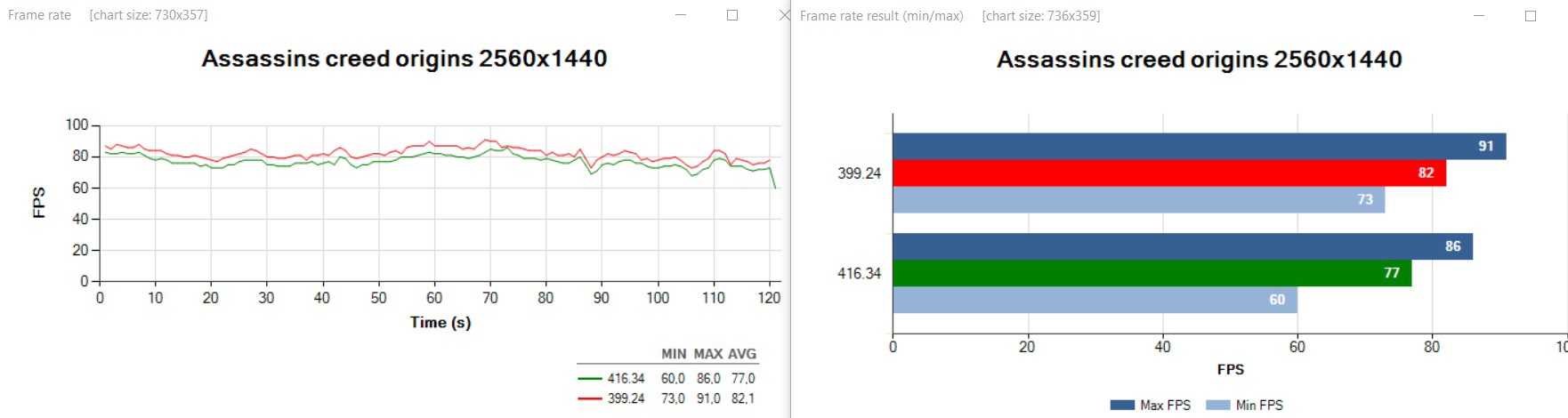
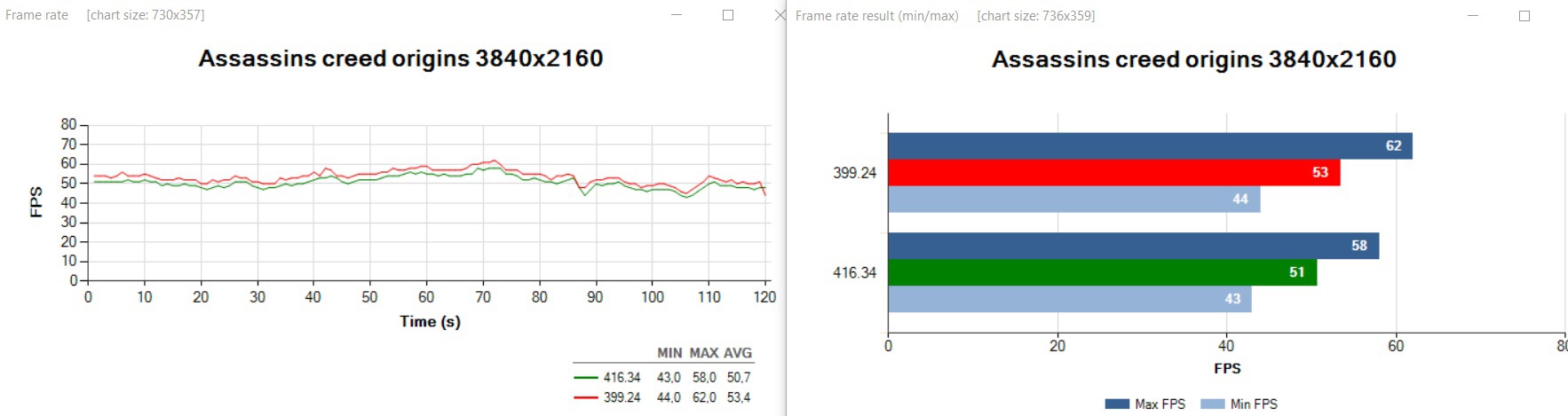
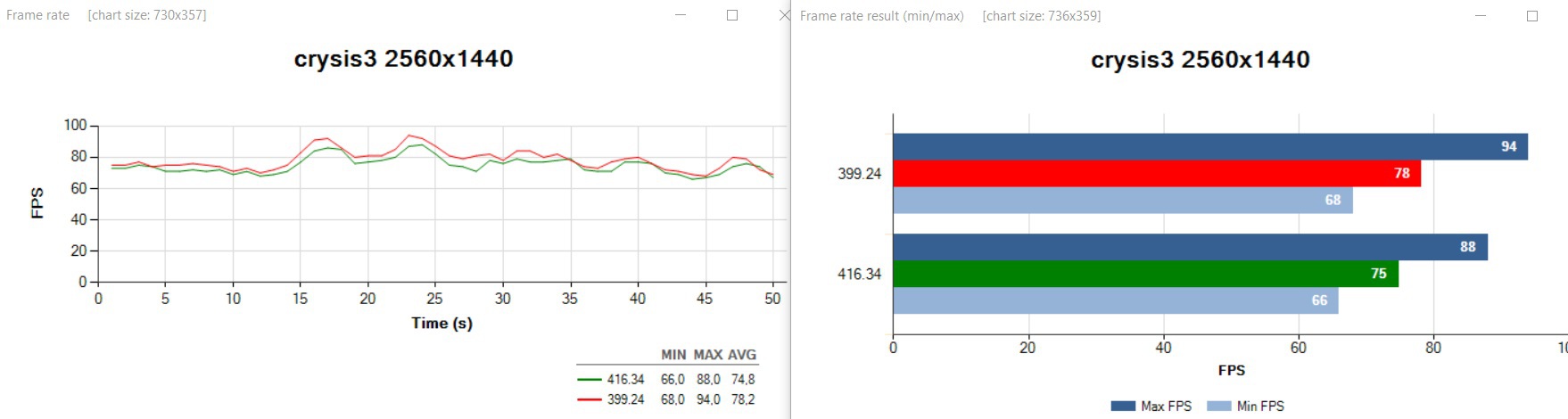
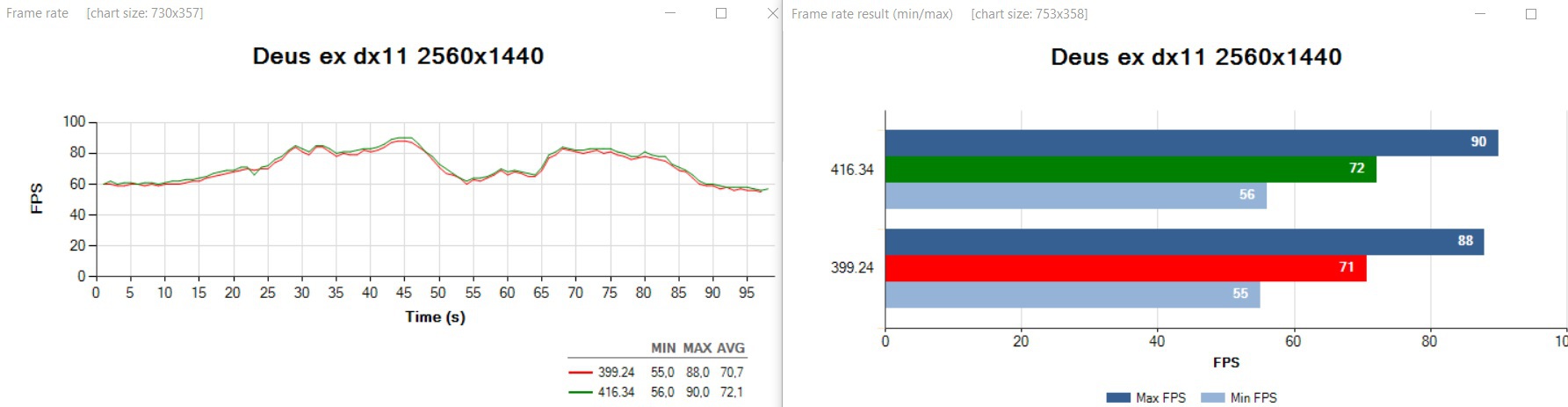
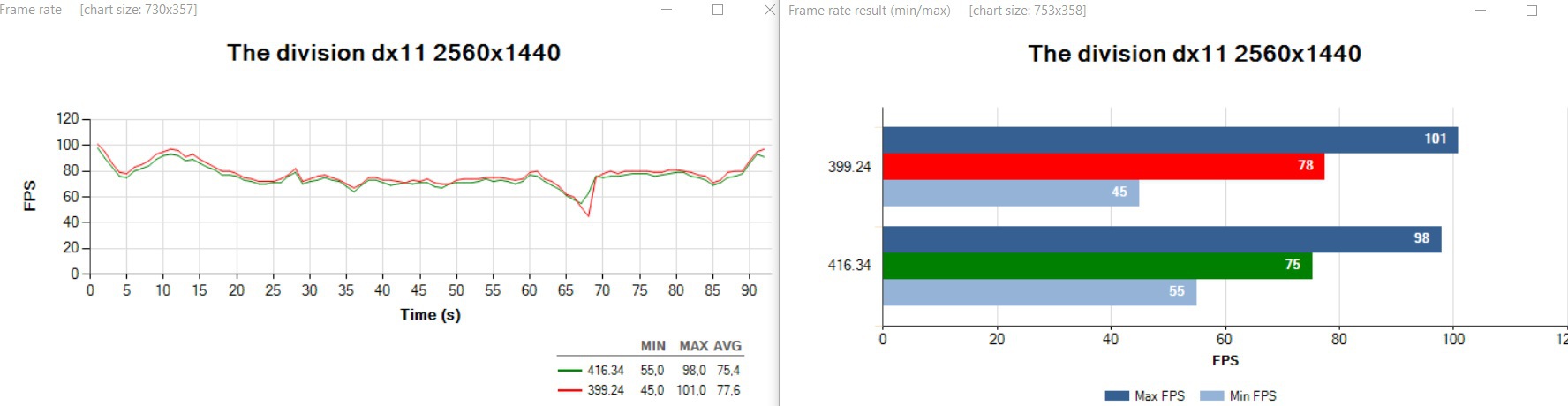
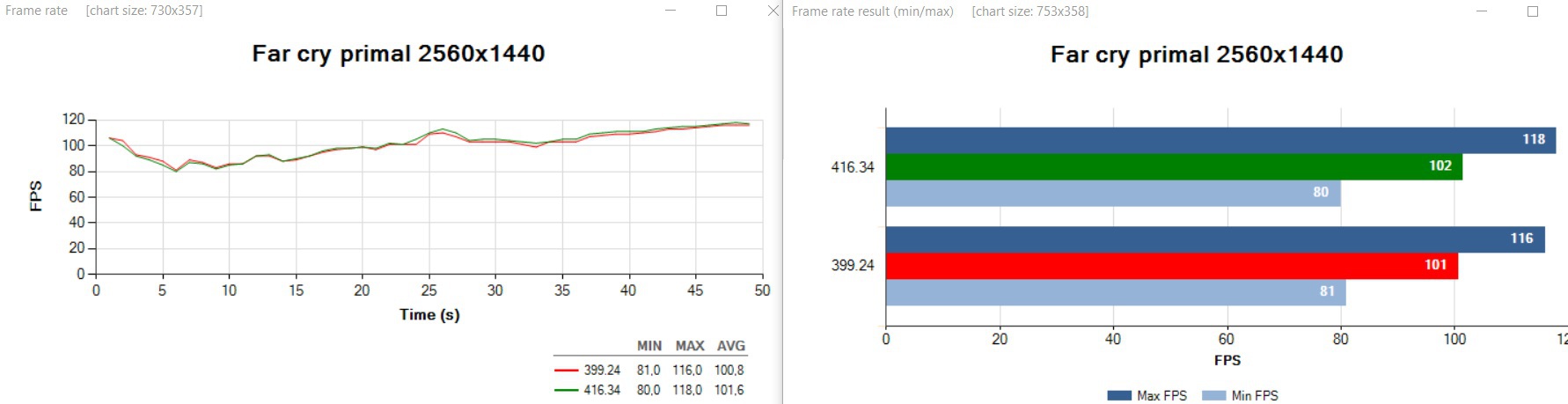
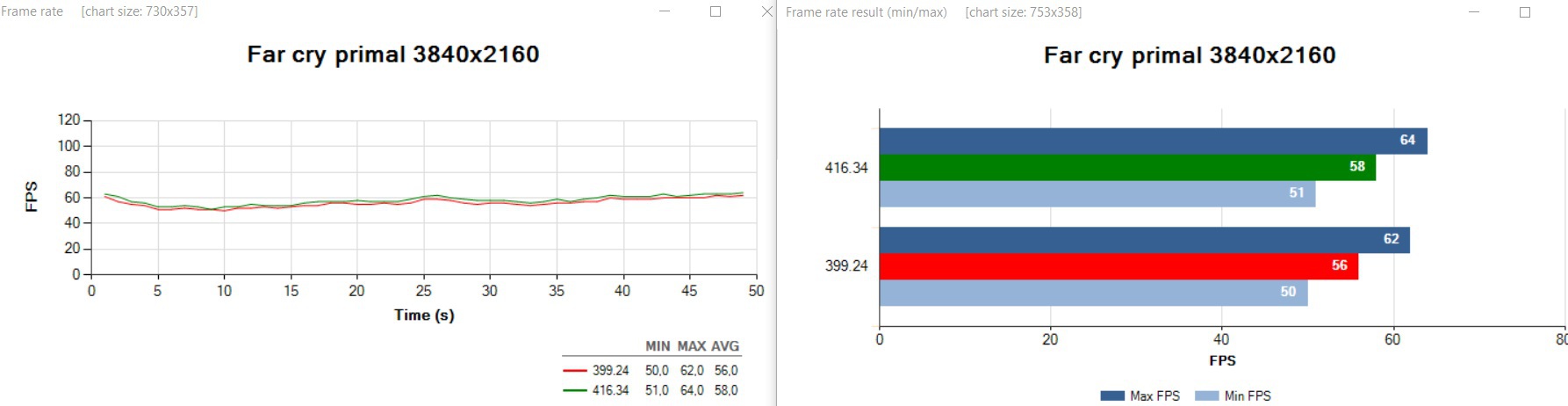
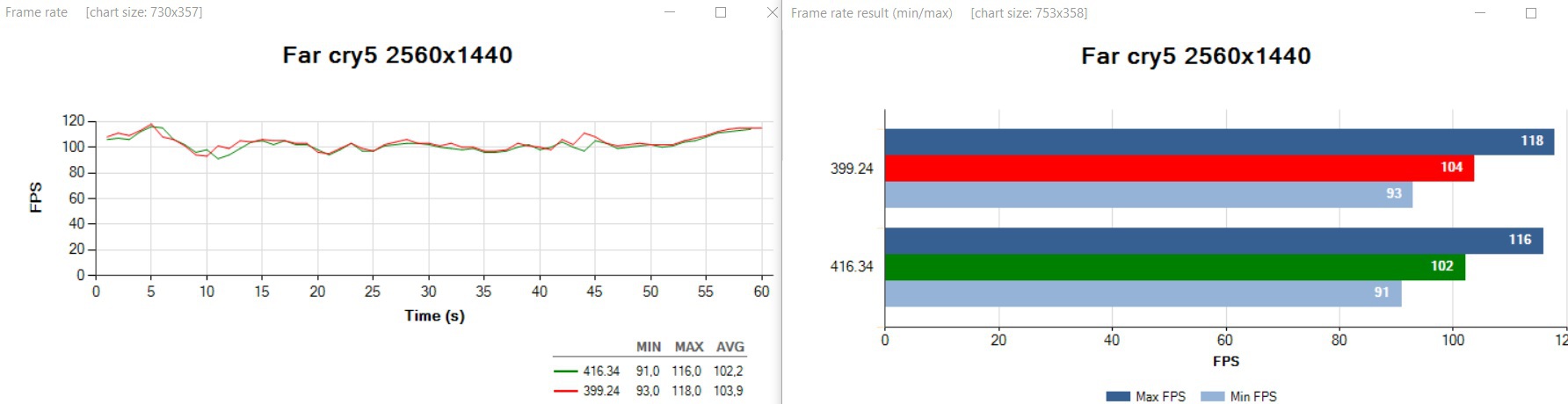
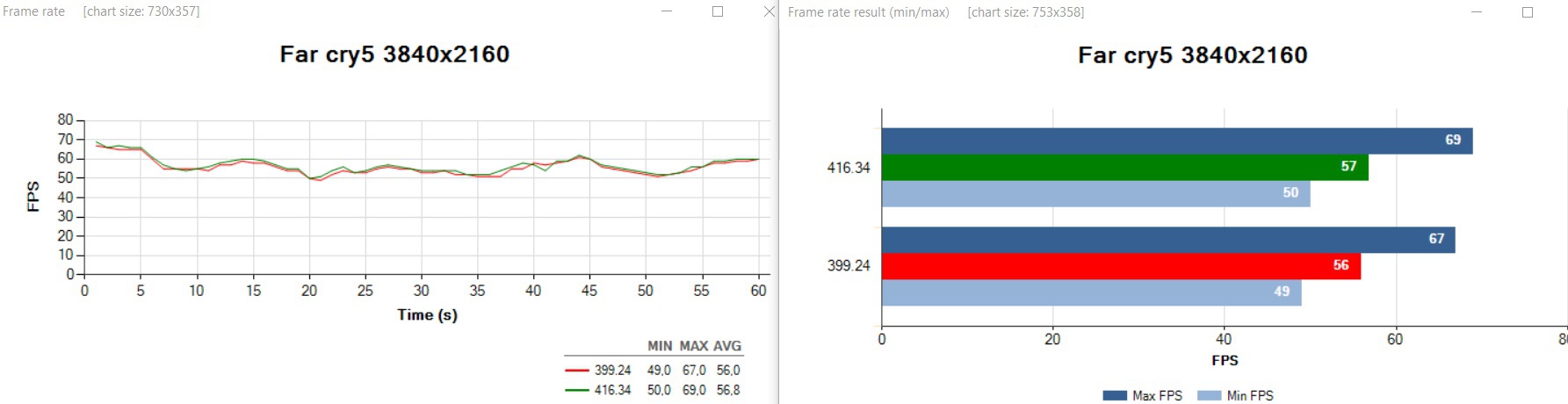
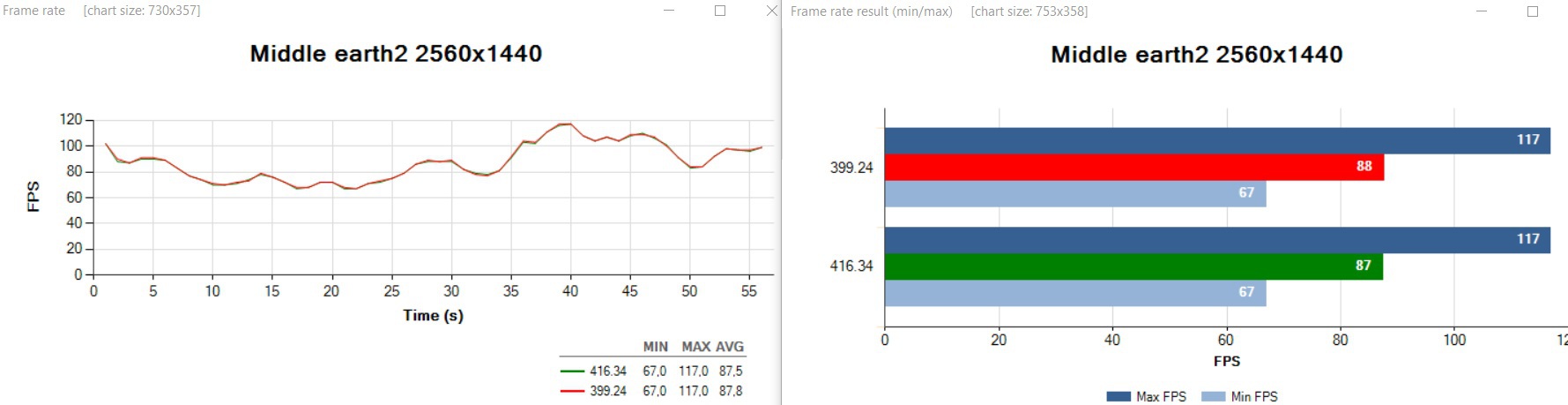
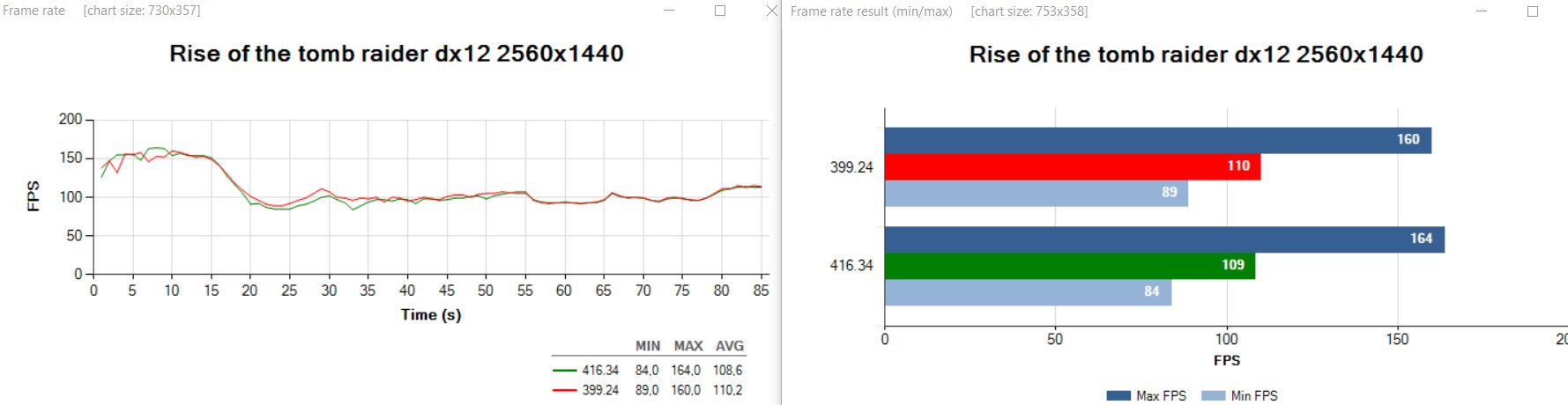
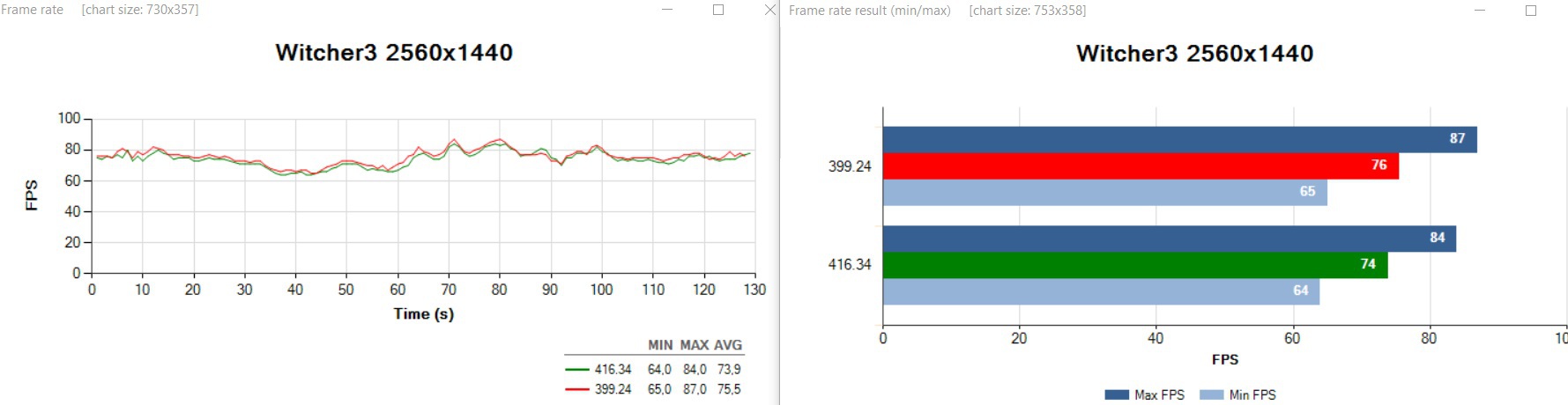
 Ten propad u Origins je divny, me se nepovedlo ho na Pascalu replikovat. Mas i ten posledni Win update ? Zbytek mas v chybe mereni. K tem artefaktum, v FC5 je hlasena chyba [Far Cry 5]: Flickering occurs in the game. [2400207]
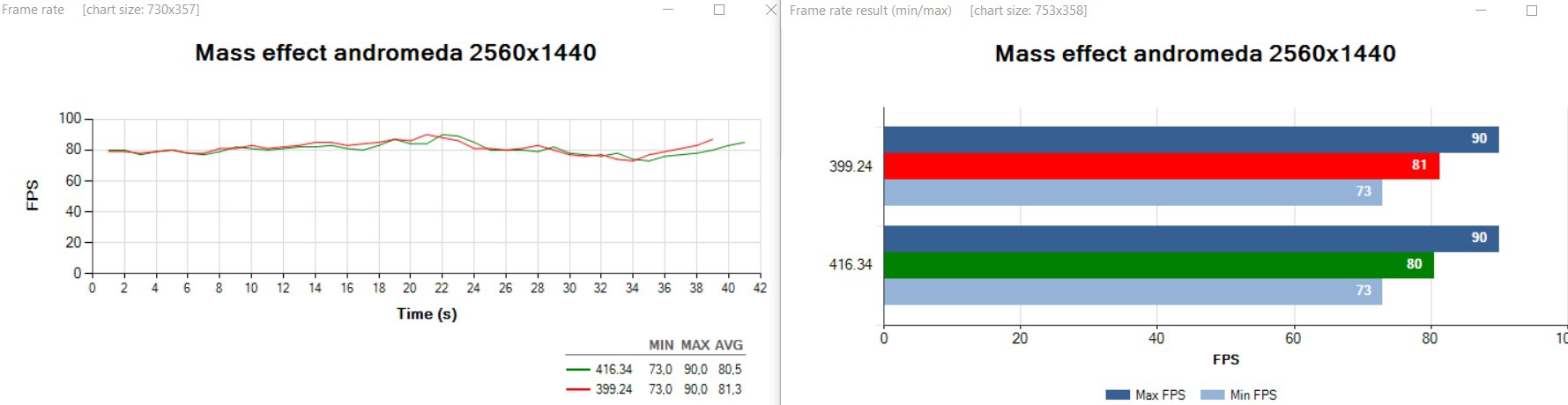
 srovnání ovladačů. Podal jasný důkaz a nemá cenu vyvracet opak.